


I wanted to make another Corel Draw video. This time I will discuss moving and positioning objects on the screen. To keep patterns accurate and well balanced you need to be able to move things around the page accurately. I will discuss the align and distribute tools as well as using temporary guidelines for accuracy.
I still have several readers asking for more Corel Draw tutorials. I know not everyone cares about designing their own scroll saw patterns but that's part of why I started this blog. For those of you looking for patterns that's fine also. I'll be posting more patterns soon. The way I look at it the more people that have the skill to design patterns the more patterns that will be out there for us to cut.
If you have designed a pattern that you would like to share with the readers here send it to me and I'll post it. I will only post patterns that the readers are free to cut and sell as many as they like. You will still own the rights to the pattern.
Hope you enjoy the tutorial video.


Free Pattern Catalog. 1000's of free patterns.

Thousands of FREE scroll saw patterns. No registration or signup required.
The projects form these patterns can be sold without restrictions. The patterns cannot be sold.
Stencil Printer 1.7


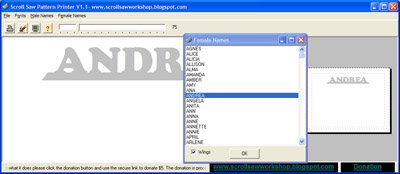
Scroll Saw Pattern Printer update 1.1
Scroll Saw Keychain Pattern Maker
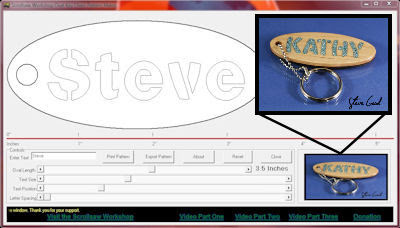
 Use the Scroll Saw Keychain Maker to start a small keychain business. Build yourself a nice display and make up severl keychains with common names. Sell at craft shows, on Ebay or at work. Everyone needs a keychain. Take custom orders. Heck just make them and give them away as gifts. It's all made easy with the Scroll Saw Keychain Maker.
Watch the video demonstration then download the file below and get started with the fun.
Use the Scroll Saw Keychain Maker to start a small keychain business. Build yourself a nice display and make up severl keychains with common names. Sell at craft shows, on Ebay or at work. Everyone needs a keychain. Take custom orders. Heck just make them and give them away as gifts. It's all made easy with the Scroll Saw Keychain Maker.
Watch the video demonstration then download the file below and get started with the fun.
Download the Oval Keychain Pattern Maker.
Enjoy designing and printing these great personalized key chains. Give them as gifts, make them for fun or sell them at craft shows. It's easy, just watch the video demo then download and install the program. You will be designing these fun projects in minutes. Windows PC only.
Download Version .9a
Please consider a $5 donation for The Oval Key Chain Pattern Maker.


The Scrollsaw Workshop Blog is in no way affiliated with or sponsored by Scroll Saw Woodworking and Crafts Magazine formerly (Scroll Saw Workshop Magazine) or it's publisher Fox Chapel Publishing.
Scroll Saw Woodworking and Crafts
